Endeavant Cloud
Comprehensive web platform for fleet management with MDVR and smart cameras. 5 modules covering from real-time alert monitoring to video management and equipment maintenance.
In short
Endeavant Cloud is the web platform for vehicle risk management that centralises data from Avant 3, 5 and 8 cameras alongside the MDVR. It integrates five modules and classifies over 29 alert types into four categories — DMS, ADAS, device and speed — with configurable risk levels. It runs in any browser, with no software to install.
5 Integrated Modules
Each module connects in real-time to offer complete fleet visibility.
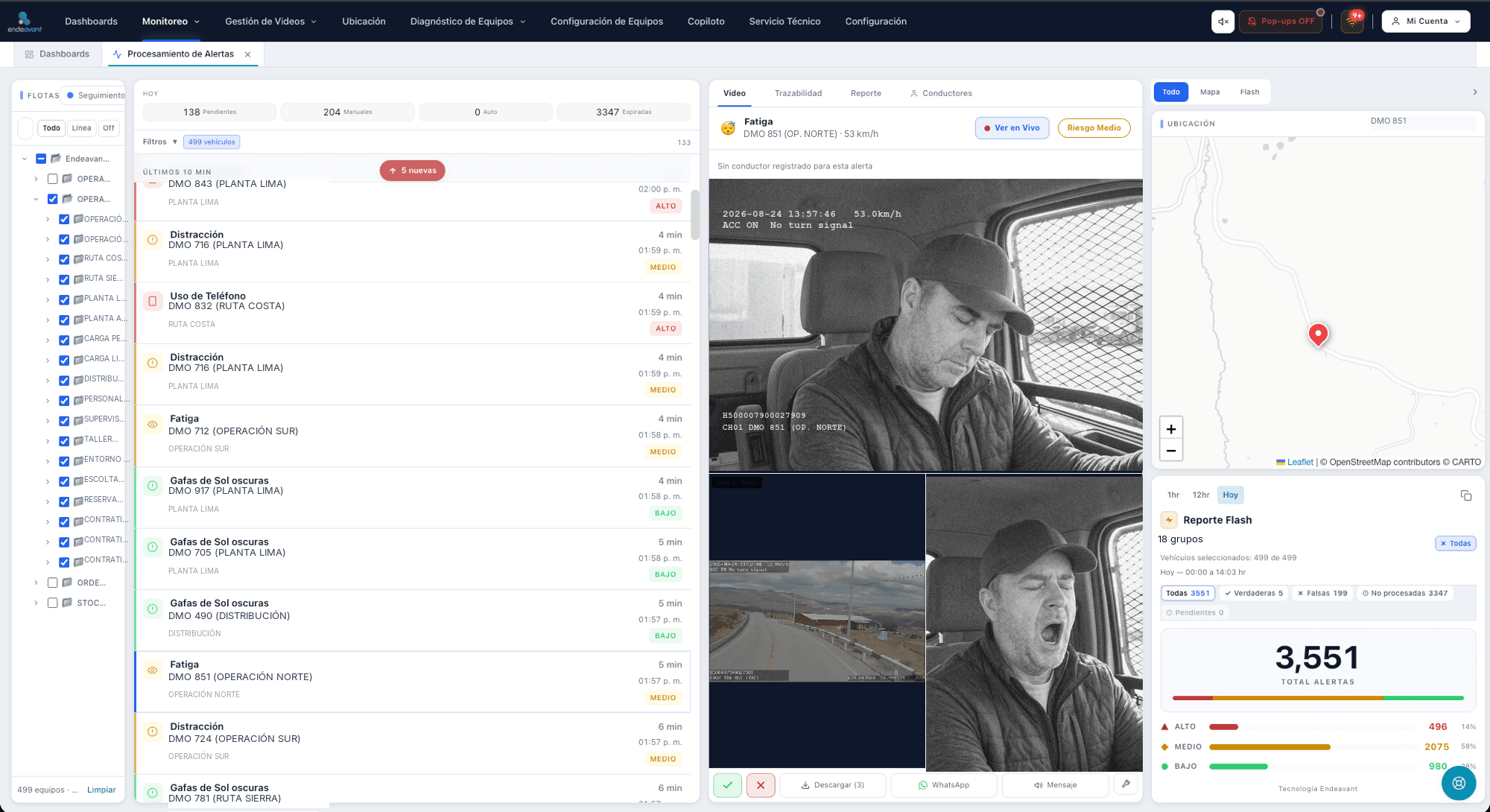
Monitoreo de Alertas
Centro de operaciones en tiempo real. Recibe alertas DMS y ADAS, el operador clasifica cada evento como verdadero o falso positivo con video de evidencia.
- Clasificación verdadera/falso positivo
- Video de evidencia automático
- Envío por WhatsApp con un clic
- Trazabilidad completa exportable
- Alertas sonoras por nivel de riesgo
- Auto-advance a siguiente alerta
Diagnóstico de Equipos
Supervisión de la salud de todos los dispositivos MDVR. Detecta fallas automáticamente y genera pedidos de mantenimiento con asignación de técnicos.
- KPIs en tiempo real (online, GPS, disco, grabación)
- Detección automática de fallas
- Pedidos de mantenimiento con prioridad
- Asignación de técnicos individual o masiva
- Exportar estado a Excel
- Actualizaciones en vivo (SSE)
Ubicación
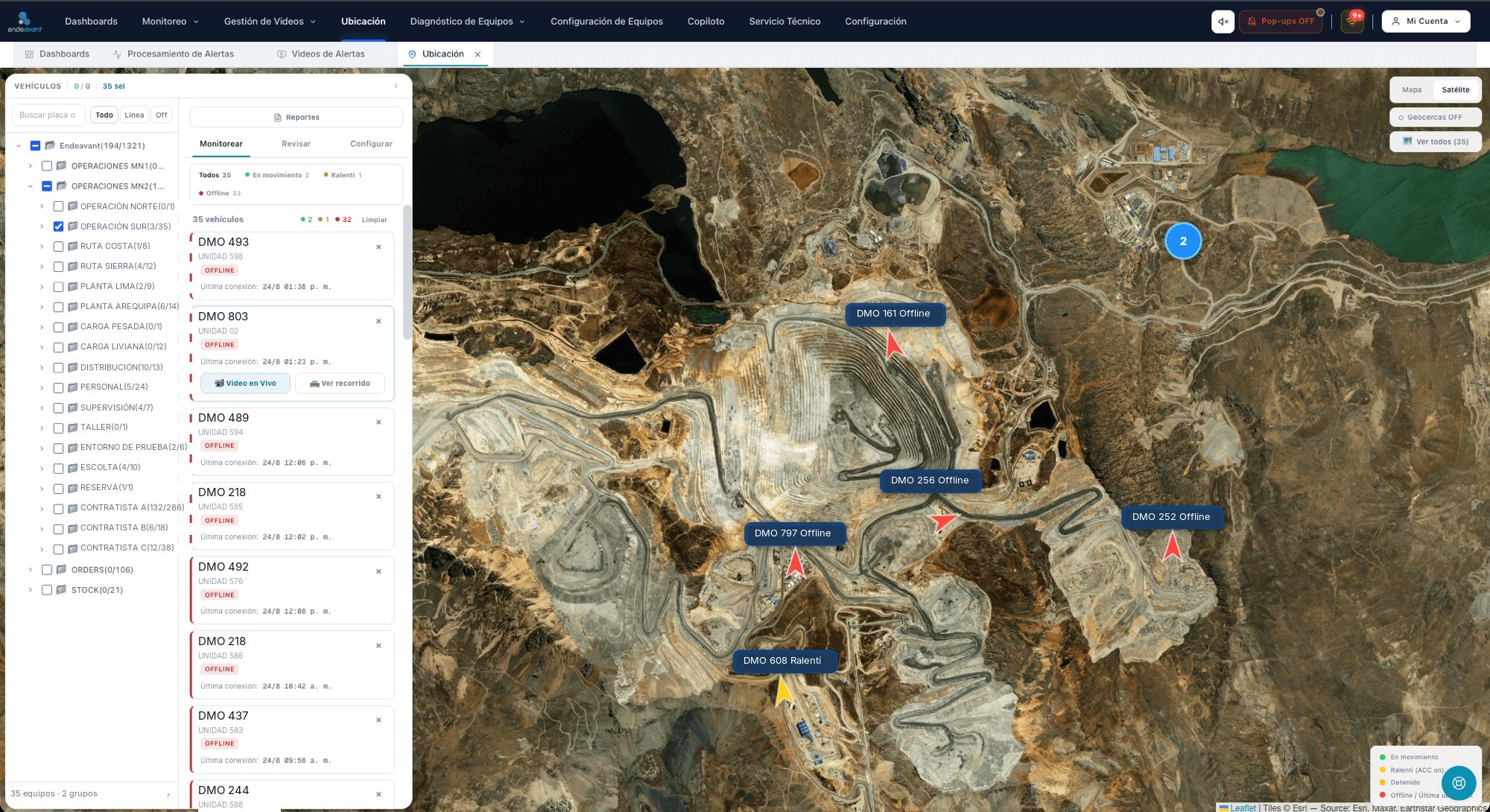
Posición en tiempo real de todos los vehículos en mapa interactivo. Incluye recorridos históricos, geocercas, replay animado y video en vivo.
- Tracking GPS en tiempo real
- Recorrido histórico con replay animado
- Estadísticas de ruta (distancia, velocidad, paradas)
- Geocercas con alertas de entrada/salida
- Video en vivo por streaming
- Filtro por estado: movimiento, detenido, offline
Gestión de Videos
Acceso a grabaciones de los MDVR, reproducción multi-canal, descargas programadas y streaming en vivo desde cualquier dispositivo.
- Búsqueda por vehículo, fecha y canal
- Reproducción multi-canal (grilla 2x2)
- Timeline con barras de disponibilidad
- Cola de descargas con estado
- Descargas programadas en horarios nocturnos
- Streaming en vivo de baja latencia
Configuración
Centraliza ajustes de alertas por flota/vehículo, gestión de conductores, usuarios con permisos por módulo, técnicos y tipos de problema.
- Configuración de alertas con herencia (grupo → vehículo)
- Normalización del catálogo de alertas
- Gestión de conductores con licencias
- Asignaciones conductor-vehículo por turno
- Permisos por módulo por usuario
- Registro de técnicos de mantenimiento
29+ Alert Types
Classified in 4 categories with configurable risk levels
15
DMS
Fatiga, Distracción, Celular, Bostezo, Sin cinturón, Cámara tapada
7
ADAS
Colisión frontal, Desvío de carril, Distancia de seguimiento, Peatones
2
Puntos Ciegos
Punto ciego izquierdo, Punto ciego derecho
5
Conducción
Aceleración rápida, Frenado brusco, Giro rápido
Professional Interface
Designed for operators who need quick decisions with clear information.
Real time
Live updates over SSE
Multi-user
Permissions per module and role
Exportable
Excel, video, traceability
Web + mobile
From any device
This is the platform at work.
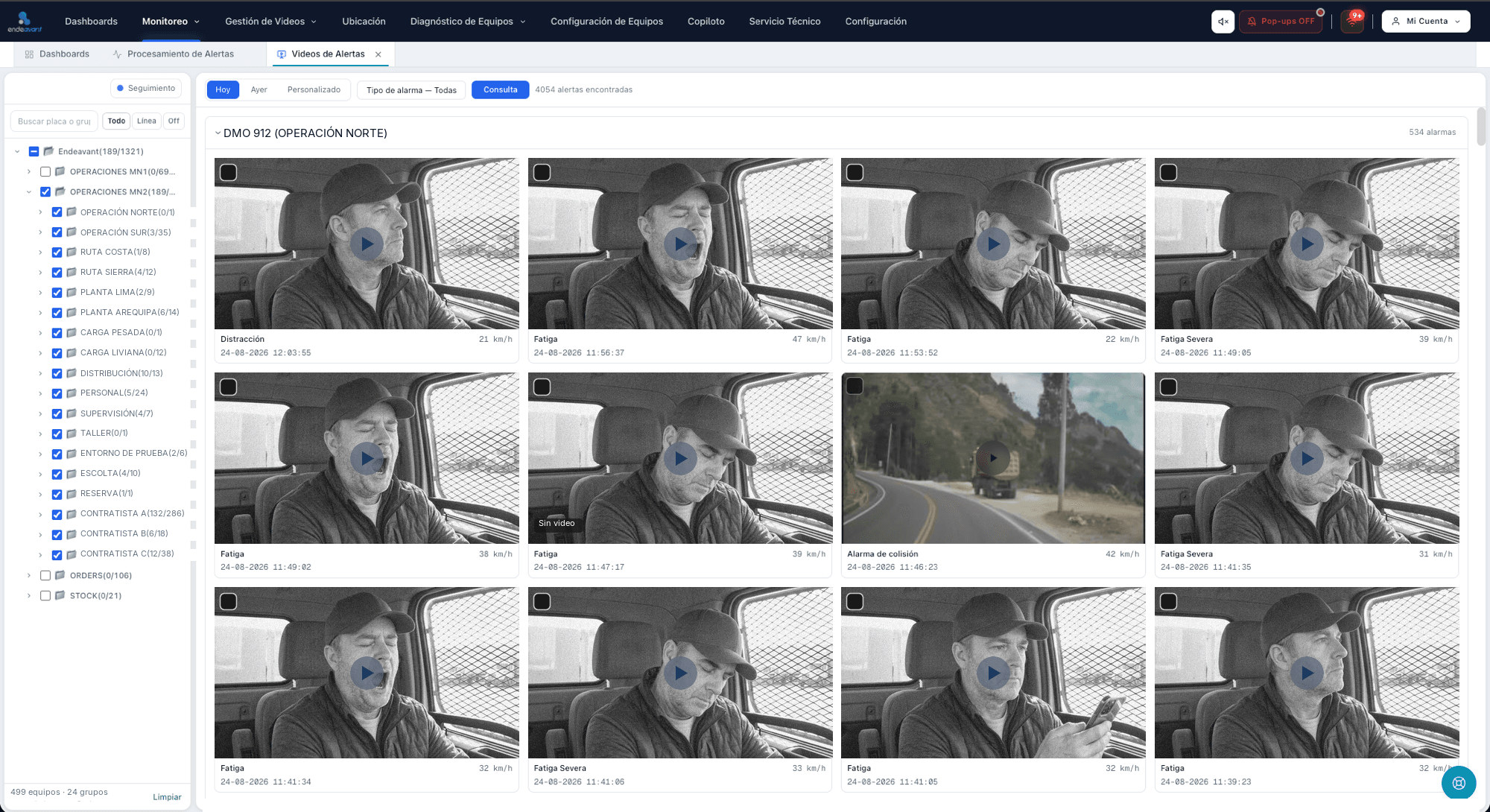
These are not mockups: they are the screens a monitoring shift actually works on. The alert queue on the left, evidence from every camera in the middle and location on the right.
Alert videos
A grid per plate, the whole shift in view, with bulk download.
Location panel
The fleet on the map, with status, speed and video one click away.
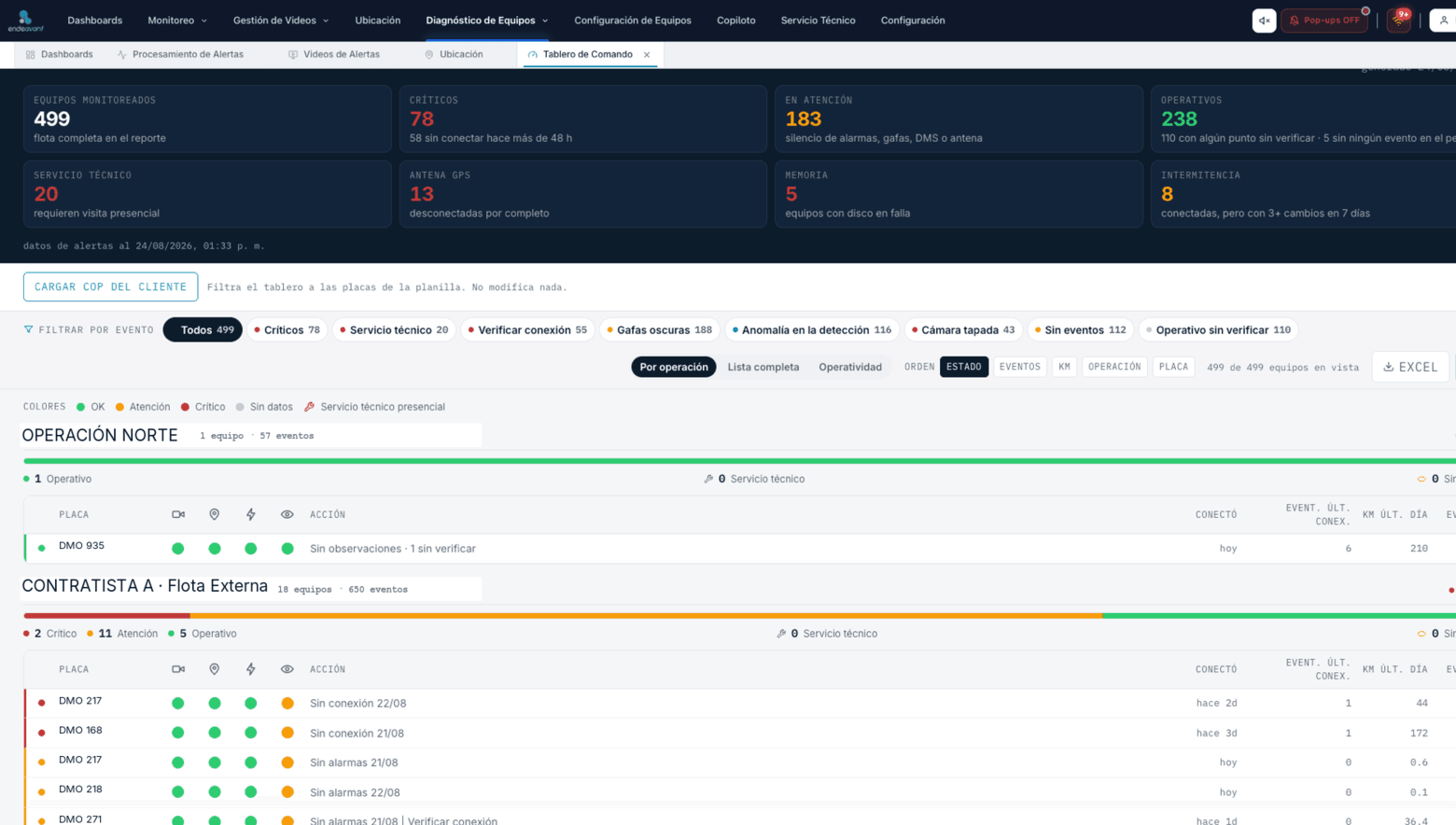
Fleet diagnostics
Unit by unit: whether it records, whether it has an antenna and when it last connected.
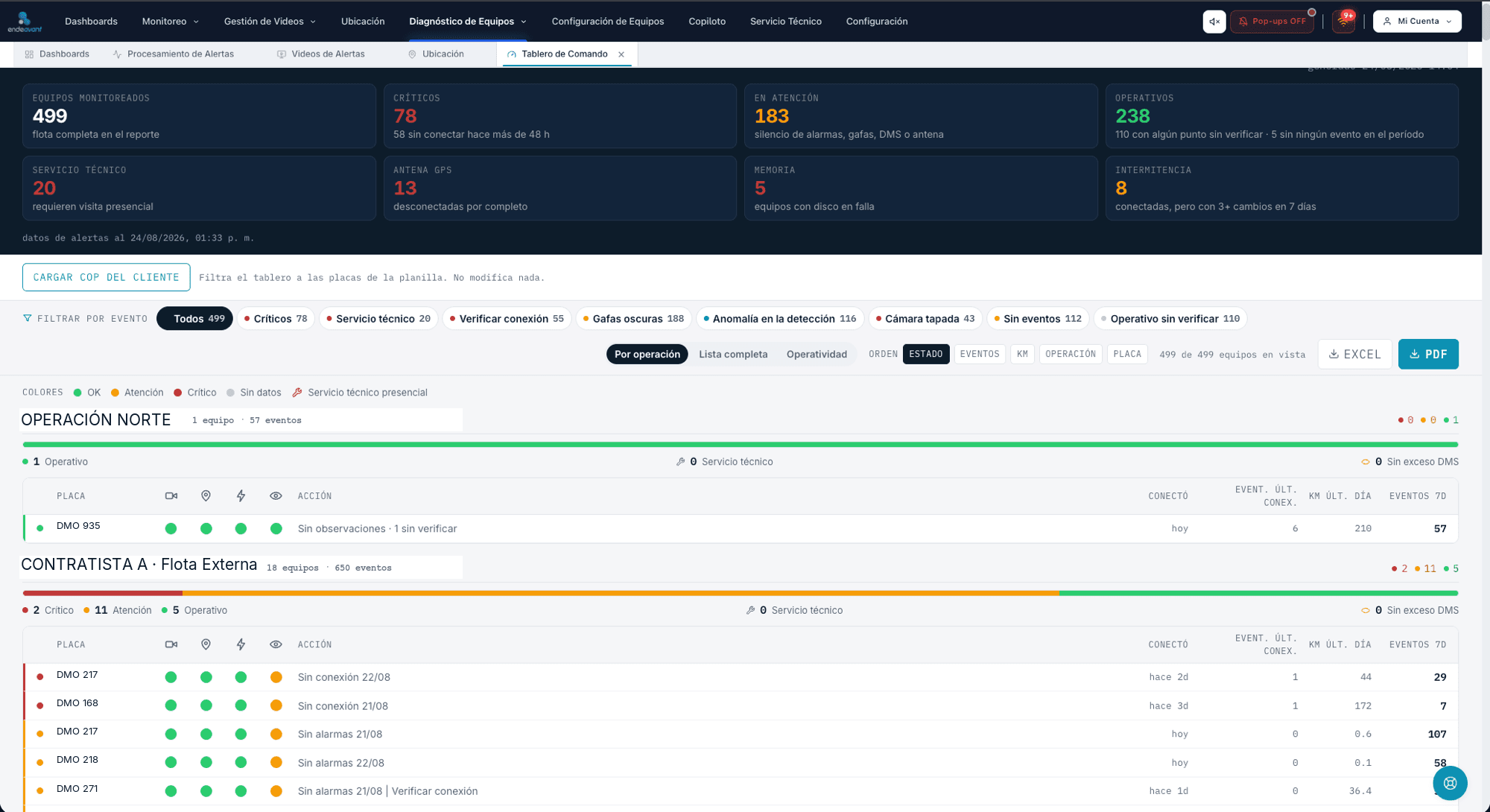
Command dashboard
The operation at a glance: events by type, by shift and by driver.
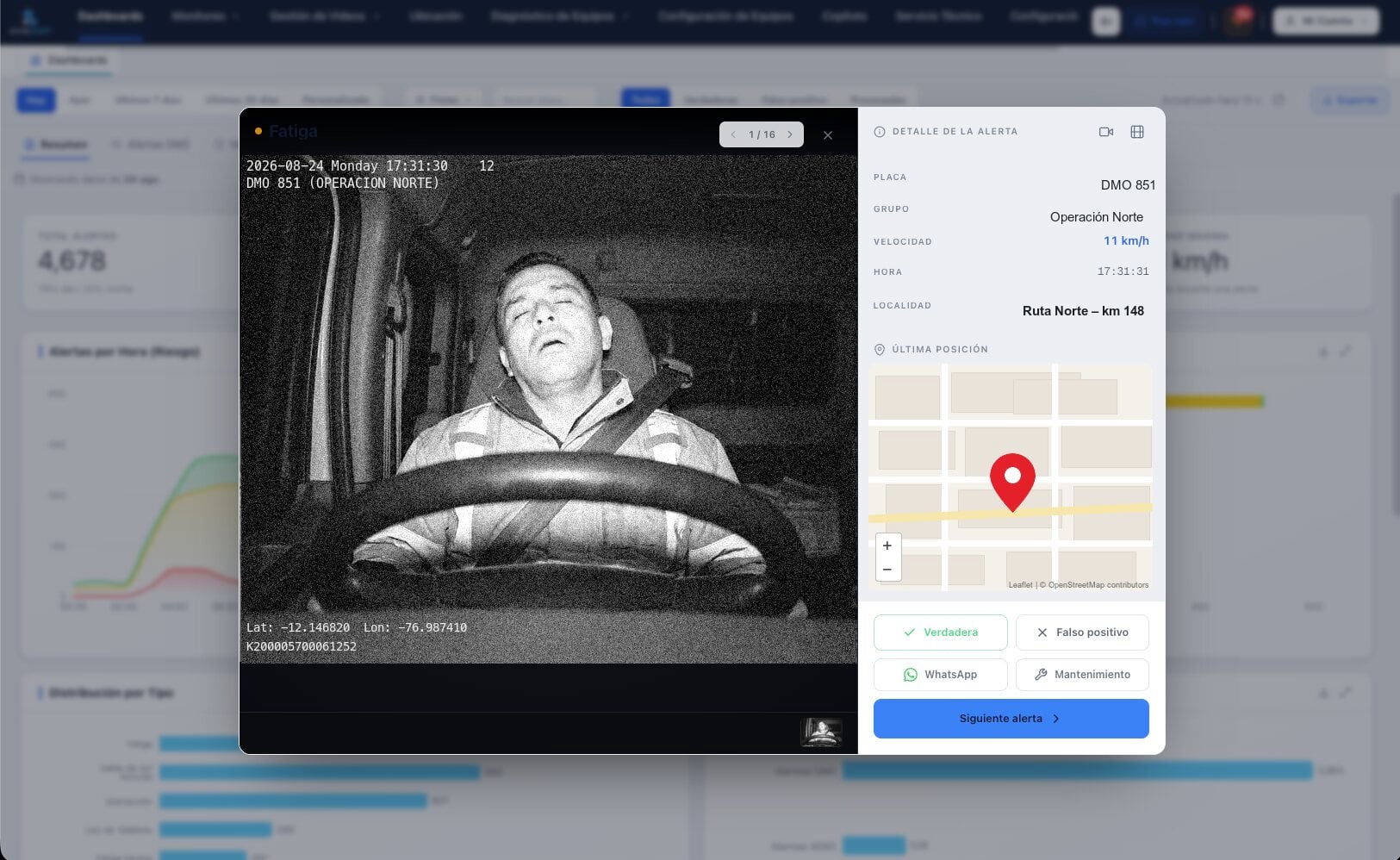
Alert pop-up
It opens with the evidence and the buttons to resolve it without changing screens.
Screenshots come from a demonstration environment: plates, operation names and cab images are simulated data.
Configurable pop-ups
The alert opens on screen and is handled right there.
You define which events pop up. When one does, it brings the evidence and the buttons to resolve it.
You define which events pop up
By alert type and risk level. What is critical in one operation is noise in another.
It includes the event evidence
Opens with the event photo or video, the plate, the speed and the time.
Handled without leaving the screen
Classify it, request the full video or notify the supervisor, with every action logged.
A different sound per alert type
12 configurable sounds, and they can be muted per shift.
Evidence
Every alert is stored with its video.
The evidence lives on Endeavant's side: a video from a month ago does not depend on a third party keeping the file.
The clip opens in seconds
Evidence is prepared in advance: the first time anyone opens the event, it is already there.
The window is centered on the alarm
15 seconds before and 15 after. You see what happened around it, not just the instant.
One file per camera
The MP4 for each channel plus the event still.
Bulk download
Select several events and download them together, to build a driver or shift file.
The app
The fleet on your phone, in real time.
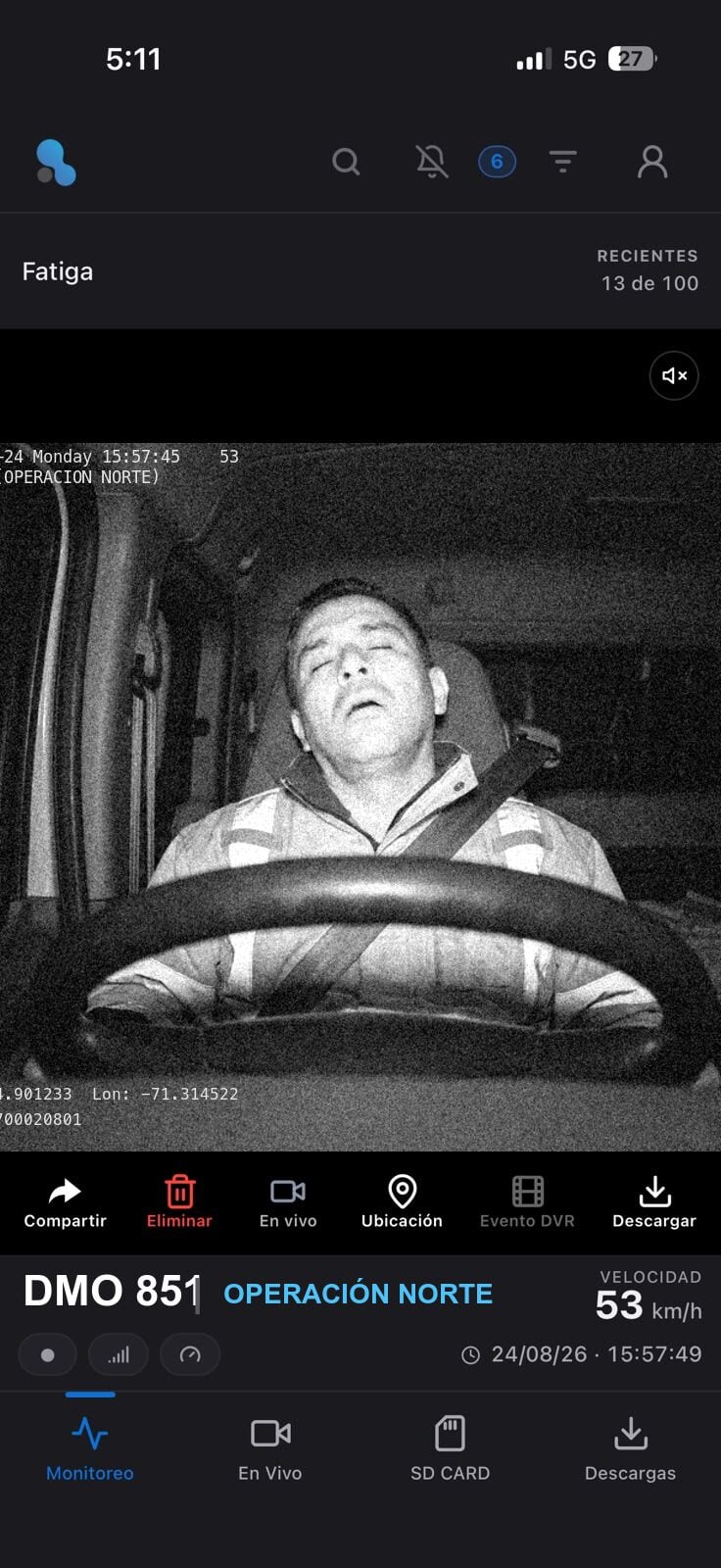
It installs from a QR code, with no app store involved. The supervisor scrolls the event feed and opens the video for each one.
The event feed with its video
Every alert with its clip, its time and its location, in order of arrival.
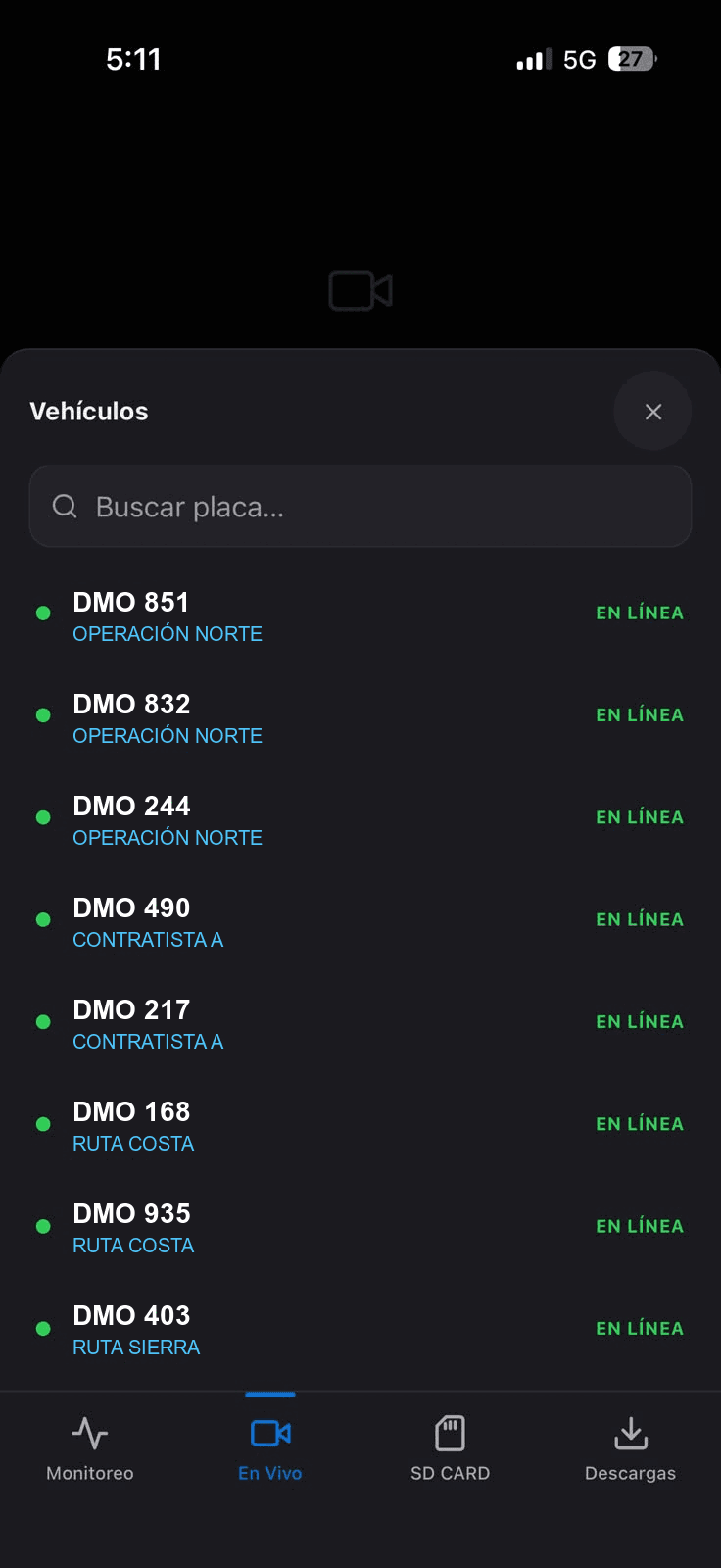
Live video from any unit
Pick the plate from the list of online units and watch the camera right now.
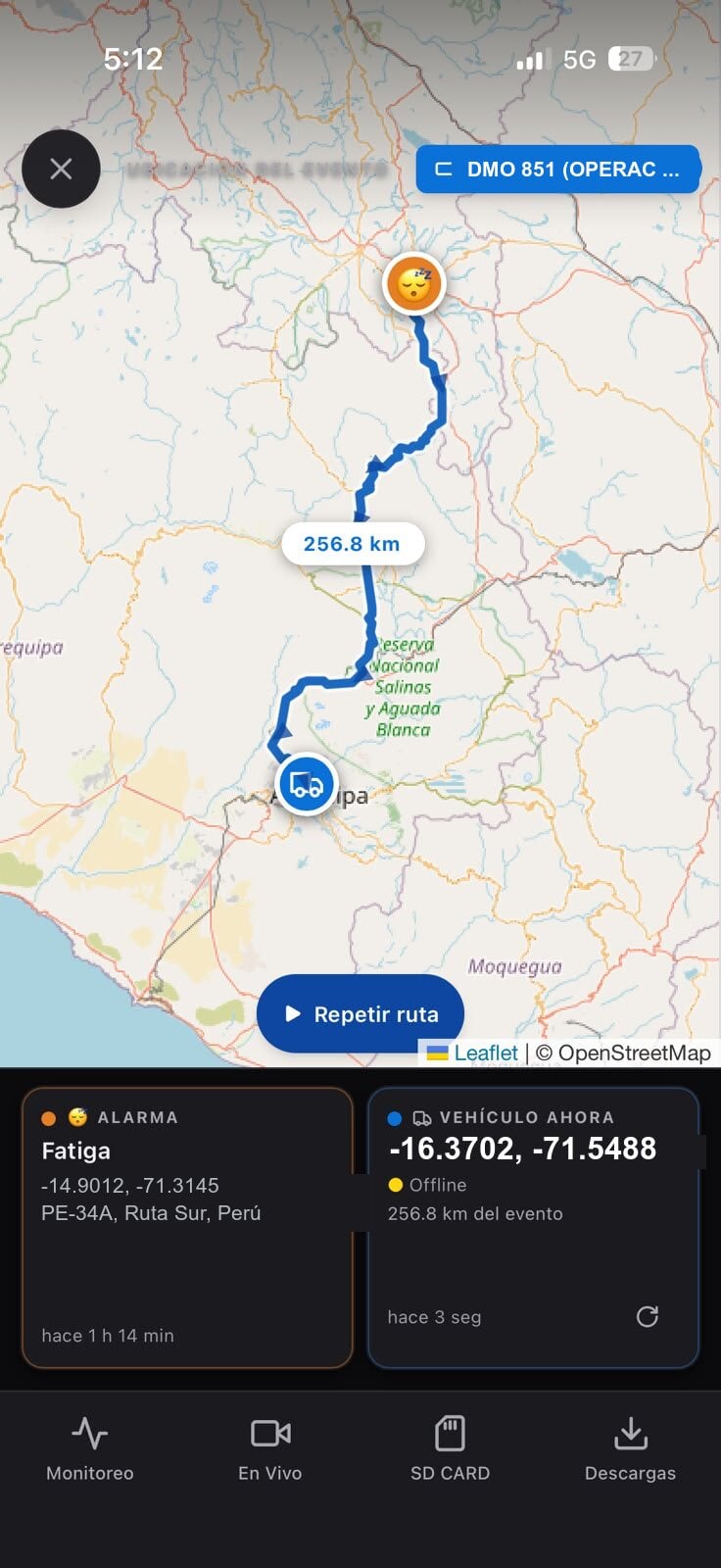
Event location and current position
Where it happened, where the unit is now and the distance between the two.
Handle it from the phone
Share the video, request the download or log the action taken, with full traceability.
Who was driving
Every alert arrives with the driver's name.
The most common objection to behavior reports is that nobody knows who was at the wheel. A sticker and three steps solve it.
Scan the sticker
It sits on the vehicle door frame. Read with the phone camera — no app, nothing to install.
Enter your ID number
Once per shift. No photo and no biometric data is captured.
The shift is open
Every alert from that vehicle now travels with the driver's name, and shows up that way in the reports.
No app and no biometric data
The driver uses their own phone camera. Nothing to install, no face capture, no fingerprint.
- does not handle
- biometric data
The name appears in every report
Once the shift is open, the driver travels with every alert from that vehicle and shows in the ranking and in every export.
- settles
- the per-driver dispute
The shift closes itself
If a shift expires without being closed, the platform closes it and logs that, so no shift stays open by oversight.
- no extra
- administrative work
Tailored reports
The report is built around what you need to see.
There is no standard report that works for everyone. The columns, the breakdowns and the filters come from how your operation is organized — and they keep being adjusted.
Built on your structure
Breakdowns follow how your fleet is organized: by operation, by group, by contract or by line.
- defined with
- your team, not a template
Each recipient gets only their own
Its own filter by group, event type and risk level. Nobody receives the noise from other operations.
- up to
- 10 recipients per report
It arrives when you say
Frequency, day, hour and minute. Configure it once and it lands in the right inbox.
- no limit on
- revisions
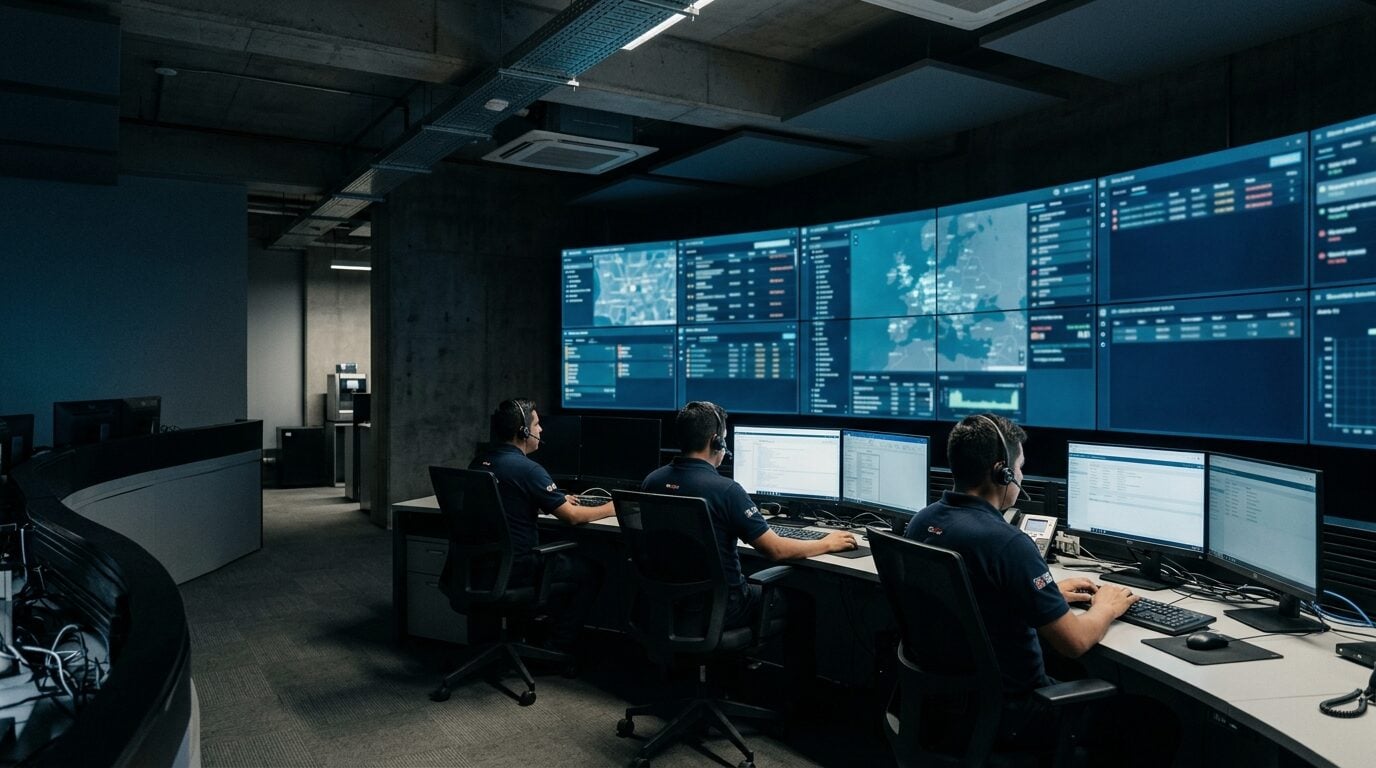
No monitoring room of your own?
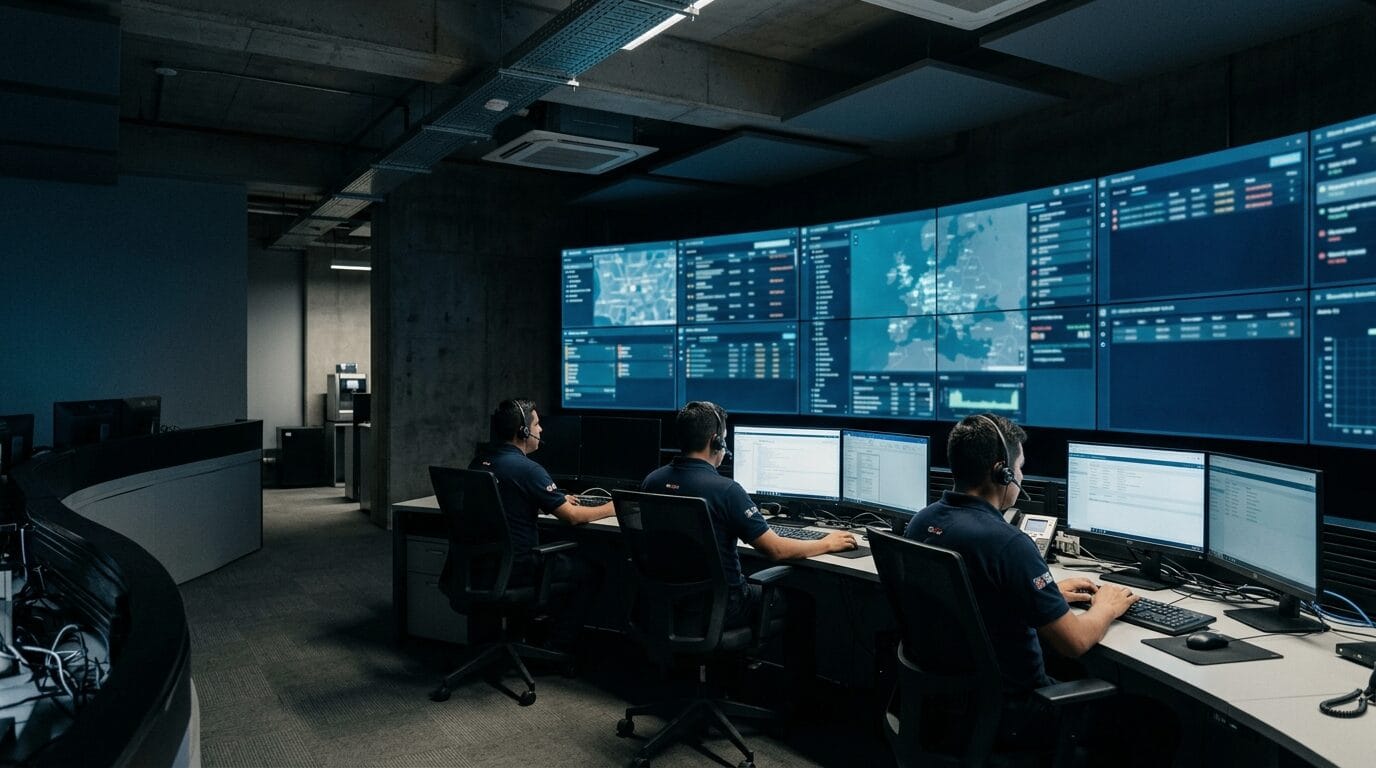
Endeavant can run the monitoring for you: trained operators in Lima following your units around the clock, handling every alert and escalating to your supervisor with the evidence.
Let's talk about your fleet
A specialist reviews your operation and shows you how Endeavant Cloud organizes your alerts, evidence and reports.